

Introduction
If there is one registration step that new exporters most commonly skip — and later regret — it is filing the Letter of Undertaking (LUT) before their first export shipment. The consequences of forgetting range from mildly inconvenient (paying IGST upfront and waiting for a refund) to genuinely problematic (Shipping Bill discrepancies that can block GST refunds for months).
The irony is that the LUT is one of the easiest compliance steps in the entire export process. It takes ten minutes on the GST portal, costs nothing, needs to be done only once per financial year, and once done correctly, it saves you from blocking significant working capital on every single shipment for the entire year.
I file my LUT every April 1st before I do anything else for the export season. It is the very first action item in my export compliance calendar. After reading this guide, it will be the first item in yours too — and you will understand exactly why.
What Is a Letter of Undertaking (LUT)?
A Letter of Undertaking (LUT) is a declaration filed by an exporter on the GST portal in which they undertake — formally promise — that they will comply with all the conditions prescribed for zero-rated exports without payment of tax, and that they will realise the sale proceeds in foreign currency and bring them back to India within the prescribed time period.
In simpler terms: the LUT is your official commitment to the government that you are a genuine exporter who will comply with FEMA (Foreign Exchange Management Act) requirements, and in exchange, the government lets you export without paying IGST upfront.
Without LUT, the default position under GST is that you must pay IGST at the applicable rate on every export transaction — and then apply for a refund after the goods leave India. On a ₹50 lakh shipment with 18% GST, that is ₹9 lakh of working capital blocked for potentially 30–60 days waiting for an IGST refund. Multiply this across twelve months of exports and the cash flow impact is enormous.
The LUT eliminates this completely. With LUT in place, your export transactions carry zero IGST from the start. No payment, no refund, no waiting. Your working capital stays in your business.
The Legal Basis: Section 16 of the IGST Act and Rule 96A of CGST Rules
The LUT facility is provided under Section 16(3)(a) of the IGST Act, 2017, which allows registered persons to supply goods and services under a zero-rated supply without payment of IGST, subject to conditions prescribed in the rules.
Those conditions are prescribed in Rule 96A of the CGST Rules, 2017, which specifies:
- Who is eligible to file an LUT
- The period within which export proceeds must be realised
- The consequence of failing to realise export proceeds within the specified period
- The procedure for filing the LUT on the common portal
Understanding these two provisions — even at a high level — is useful because it tells you what the government is looking for when you file an LUT. They are not trying to create paperwork. They are ensuring that the zero-IGST export route is used by genuine exporters who will bring foreign exchange back to India, not by entities who might exploit the zero-rating without actually exporting.
Who Is Eligible to File an LUT?
Almost every GST-registered exporter is eligible to file an LUT. The eligibility condition under Rule 96A is simple:
You can file an LUT if you have NOT been prosecuted for any offence under the CGST Act, IGST Act, or any earlier indirect tax law (Central Excise Act, Service Tax law) for an amount exceeding ₹2.5 crore.
That is essentially the only disqualifying condition. If you have a clean tax record — no prosecution for large-scale tax evasion — you are eligible. The overwhelming majority of Indian exporters qualify.
If you have been prosecuted for a qualifying offence, you cannot file an LUT. Your only option for zero-rated export is to pay IGST and claim a refund. In practice, this affects an extremely small minority of exporters.
Note on GST registration requirement: To file an LUT, you must have an active GST registration with a GSTIN. If you are not registered for GST (perhaps because your turnover is below the threshold), you need to register voluntarily first before you can file an LUT. As discussed in our guide on GST registration for exporters, voluntary GST registration is strongly recommended for all exporters regardless of turnover — precisely to access the LUT facility and ITC refund mechanism.
LUT Validity Period
An LUT is valid for one full financial year — April 1 to March 31. It covers all zero-rated exports (both goods and services) made by your GSTIN during that financial year.
You must file a fresh LUT at the start of every new financial year. There is no automatic renewal. If you miss filing the LUT for a financial year and have already started exporting — even if it is April 15 — you are in a position where you should either pay IGST on those shipments or file the LUT immediately and request that the Shipping Bills already filed be amended to reflect LUT status.
The practical rule: file your LUT on April 1st, before your first export of the financial year. This is a ten-minute task. Put it in your calendar as a recurring annual reminder. No exceptions.
Step-by-Step Guide: How to File LUT on the GST Portal
Here is the complete, step-by-step process for filing LUT on the GST portal as it stands in 2026.
Prerequisites
Before you start the LUT filing process, ensure you have:
- Your GSTIN and GST portal login credentials (username and password)
- Your registered mobile number linked to your GST profile (for OTP)
- Details of two witnesses (name, occupation, and address — these can be employees, partners, family members, or any individuals; they do not need to be present physically)
- Your Aadhaar linked mobile number if you plan to use Aadhaar OTP for EVC submission
Step 1: Log In to the GST Portal
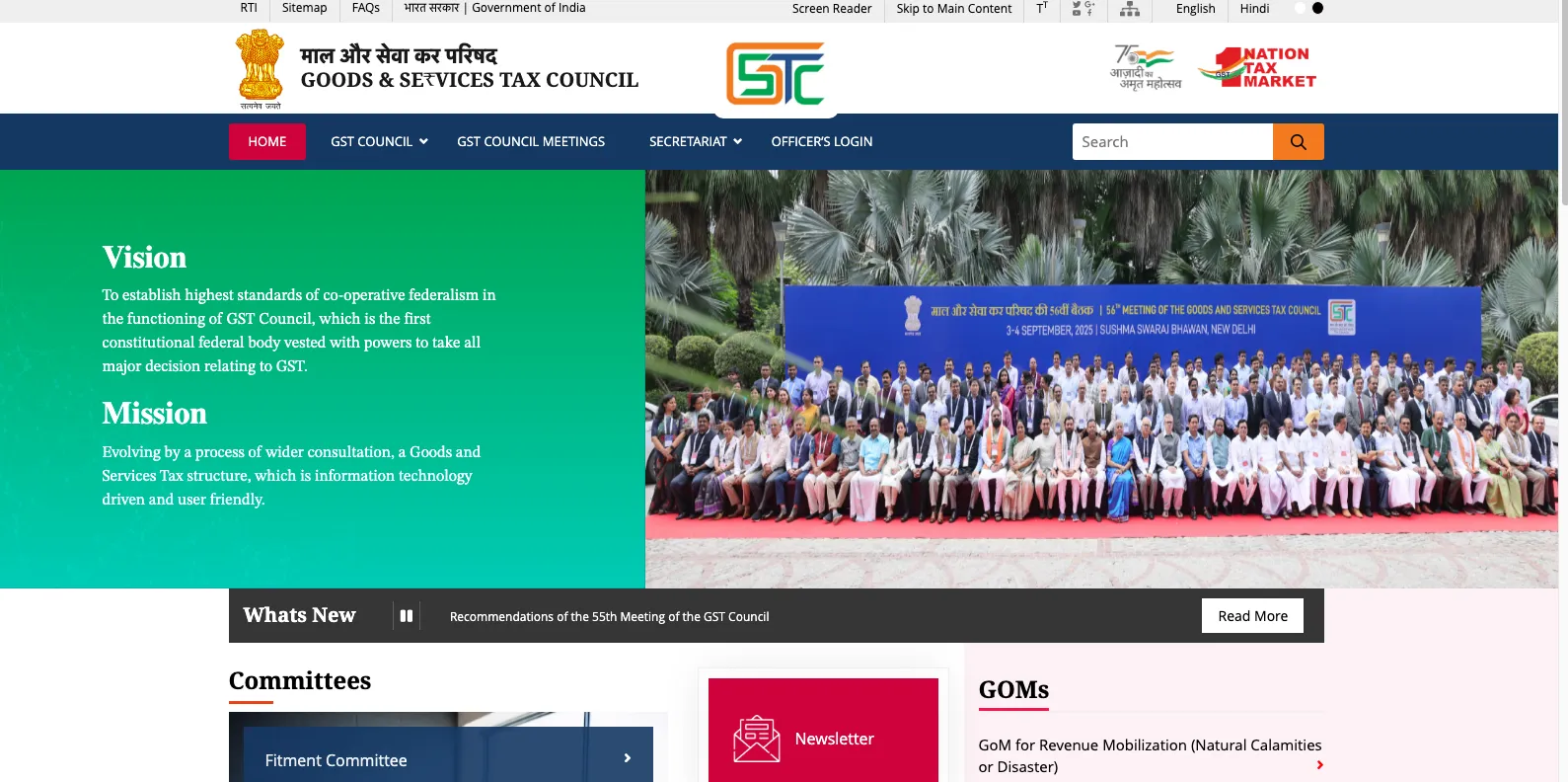
Open gst.gov.in and log in
Step 2: Navigate to the LUT Section
After logging in, go to the top menu:
Services → User Services → Furnish Letter of Undertaking (LUT)
This takes you to the LUT application page. If you have filed LUTs in previous years, you will see a history of past submissions on this page. The current year's LUT, if filed, will also appear here.
Step 3: Select the Financial Year
The first input on the LUT form is a dropdown to select the financial year for which you are filing. Select the current financial year (for example, 2026-27 if you are filing in April 2026).
Important: You are filing for the upcoming financial year, not the current one. When you sit down in April 2026 to file your LUT, you are filing for FY 2026-27 (April 2026 to March 2027). Do not accidentally select the year that just ended.
Step 4: Review the Pre-Filled Details
The LUT form will auto-populate with your GSTIN, legal name, and trade name (if applicable) from your GST registration. Review these for accuracy. If any details appear incorrect, resolve the discrepancy in your GST registration (under Amendments) before proceeding.
Step 5: Read the LUT Declaration Text
The form shows the complete text of the Letter of Undertaking — the formal declaration you are making. Read it. Key commitments you are making by filing this LUT:
- You will export the goods or services within the time limit specified under GST rules
- You will realise the sale proceeds (bring the foreign currency back to India) within the period prescribed under FEMA — currently 9 months from the date of export for goods; 12 months for services in some cases
- If you fail to realise proceeds within the prescribed period, you will pay the IGST that would have been due on that supply, along with interest at 18% per annum from the date of export to the date of IGST payment
This is not just a formality — these are real commitments with real consequences. The 9-month FEMA deadline for realising export proceeds is monitored by your bank and tracked in the RBI's EDPMS (Export Data Processing and Monitoring System). If export proceeds are not realised within 9 months, your bank flags the transaction as an overdue export bill — which can attract RBI scrutiny and action. The LUT effectively brings these FEMA compliance obligations to your GST compliance landscape as well.
Step 6: Enter Witness Details
The LUT requires two witnesses. For each witness, enter:
- Full name
- Occupation (e.g., "Employee," "Business," "Accounts Manager," "Director")
- Full address
The witnesses can be anyone — your employees, your accountant, your business partner, a family member. They do not need to be present during the online filing process. Their details are entered for record-keeping purposes. There is no physical witnessing ceremony; the digital submission process itself serves as authentication.
Step 7: Check the Declaration Checkbox
Below the witness details is a checkbox with a declaration statement. You must check this box to confirm you have read and agree to the LUT conditions. The form will not allow submission without this checkbox being selected.
Step 8: Enter the Place and Date
Enter the place (your city, e.g., "Jatni, Odisha") and the date. The date should be today's date — the date on which you are filing the LUT. For a financial year LUT filed on April 1st, enter April 1 as the date.
Step 9: Submit via EVC or DSC
The LUT must be digitally authenticated before submission. You have two options:
EVC (Electronic Verification Code) — Recommended for most users:
Click "Submit with EVC." An OTP will be sent to your GST-registered mobile number. Enter the OTP within the validity window (typically 10 minutes). The LUT is submitted and an ARN (Application Reference Number) is generated immediately.
DSC (Digital Signature Certificate):
If you have a Class 2 or Class 3 DSC dongle, click "Submit with DSC" and follow the signing process. This is typically used by companies whose directors prefer DSC-based authentication, or in cases where EVC OTP is not reaching the registered mobile number.
EVC is simpler and more accessible for most individual proprietors and small business owners. DSC is preferred for larger companies with established digital signing infrastructure.
Step 10: Save Your ARN Acknowledgement
After successful submission, the portal generates an ARN (Application Reference Number) for your LUT. This ARN is your proof of LUT filing and is referenced on every export invoice you issue during the financial year.
Download and save the LUT acknowledgement as a PDF. You will need this ARN for:
- Your export invoices: "Supply Meant for Export Under LUT Without Payment of IGST. LUT ARN: [Your ARN]"
- Your CHA when filing the Shipping Bill (they need to confirm LUT is in place before filing)
- Your bank's trade finance team (some banks record the LUT ARN for compliance purposes)
- RFD-01 applications for ITC refund (the application requires LUT details)
What Changes on Your Export Invoice After Filing LUT
Once your LUT is filed, every export invoice you issue for the rest of that financial year must carry the following mandatory declaration — this is both a legal requirement under GST rules and a practical necessity for Shipping Bill consistency:
"Supply Meant for Export Under Letter of Undertaking Without Payment of Integrated Tax."
LUT ARN: [Your full ARN number as generated at the time of filing]"
This declaration must appear on the face of the invoice — not as a footnote, not buried in fine print, but clearly visible as part of the invoice's tax section. It tells your CHA, your bank, and destination customs that this export is being done under the zero-IGST LUT route.
Correspondingly, when your CHA files the Shipping Bill on ICEGATE, the export type field must show "LUT/Bond" — confirming that no IGST was paid on this export. If your invoice says "LUT" but your Shipping Bill shows "IGST Paid" (because your CHA filed the wrong Shipping Bill type), you have an inconsistency that will block your refund processing. Verify Shipping Bill type with your CHA before every clearance.
LUT for Service Exporters: Same Process, Same Importance
LUT is not just for goods exporters. If you export services — IT services, consulting, design, engineering services, any service that qualifies as "export of services" under Section 2(6) of the IGST Act — you need an LUT too.
The filing process is identical. The same GST portal, the same form, the same ARN. The LUT allows you to raise invoices on your foreign clients in foreign currency without charging IGST. Since service exports have no Shipping Bill or customs process, your bank and your GST returns are the primary compliance records.
For service exporters, the LUT is if anything more important — because your only route to zero-rating is through LUT. For goods, you can export with IGST payment and get an automatic refund (though it blocks working capital). For services, the IGST refund route requires Form RFD-01 and is considerably more complex. LUT simplifies everything.
One distinction for service exporters: the "export of services" definition requires five conditions to be simultaneously satisfied (as we covered in our GST refund guide). Ensure your service contracts genuinely meet all five conditions before relying on LUT for zero-rating. If any condition is not met, your supply is not an "export" under GST and you should be charging IGST regardless of your LUT status.
What Happens If You Export Without Filing LUT
This is the scenario I see play out most painfully with first-time exporters who discover the LUT requirement only after their first shipment is already done. Understanding the consequences creates appropriate urgency about filing on time.
Scenario 1: You Shipped Without LUT and Paid IGST
If your CHA filed the Shipping Bill as "IGST Paid" (because there was no LUT in place), and you did in fact pay IGST on the transaction — you are on Route 2 (IGST paid exports). The automatic IGST refund mechanism should work for you. Your IGST will come back after your GSTR-1 Table 6A is filed correctly with Shipping Bill details and after EGM is filed by the shipping line. Working capital is blocked for 30–60 days but it is recoverable.
Going forward: file your LUT and switch to Route 1 for all subsequent exports in the financial year.
Scenario 2: You Shipped Without LUT and Did NOT Pay IGST
This is the problematic scenario. If your Shipping Bill shows "LUT/Bond" (because your CHA assumed you had filed LUT) but no LUT was actually in place — and you did not pay IGST — you are in technical non-compliance with Section 16(3) of the IGST Act.
The GST system may flag this when it cannot find an LUT ARN corresponding to the zero-rated Shipping Bill. Your ITC refund application for that period may face complications. In a GST audit, this discrepancy will be questioned.
The practical resolution in this situation: file the LUT retroactively for the relevant period (the GST portal allows filing for the current financial year at any time during the year), and consult your CA about whether the retroactive LUT resolves the compliance gap for the shipments already made. In practice, GST authorities have generally been pragmatic about genuine exporters who missed the LUT but clearly exported legitimately — but this is not a situation you want to be in.
Scenario 3: Your Financial Year LUT Expired and You Forgot to Renew
Your LUT for 2025-26 expired on March 31, 2026. It is April 10, 2026, and you have already shipped two consignments for the new financial year without filing the new LUT.
Action: File the 2026-27 LUT immediately. For the two shipments already made, check with your CHA whether the Shipping Bills were filed as LUT or IGST Paid. If they were filed as LUT (CHA assumed LUT was in place), you have the same situation as Scenario 2 above. If they were filed as IGST Paid, the IGST refund route applies. Going forward, all subsequent exports in 2026-27 under the newly filed LUT are fine.
The FEMA Compliance Side of LUT: Export Proceeds Realisation
When you file an LUT, you are explicitly committing to bring export proceeds back to India within the FEMA-prescribed timeline. This is not a GST issue — it is a FEMA issue — but it becomes directly relevant to your LUT commitments.
Under RBI Master Direction on Export of Goods and Services, export proceeds must be realised and repatriated to India:
- Within 9 months from the date of export (date of Shipping Bill for goods; date of invoice for services) for most categories
- Within 15 months for specific categories of capital goods and project exports where longer credit periods are commercially justified and RBI has permitted
Your bank monitors open export bills through EDPMS. When your Shipping Bill is filed, an open bill is created in EDPMS. When you receive payment and the bank processes the inward remittance, the bill is closed. Bills that remain open beyond 9 months are flagged by the bank for follow-up with you and reported to RBI.
If you gave a buyer extended credit beyond 9 months — say, 180 days DA terms on a December shipment, with payment expected in June — the FEMA 9-month clock still runs from December. The June payment arrives before 9 months are up, so there is no violation. But if you gave 12-month credit (December to December), you would need RBI approval to exceed the standard 9-month window.
The connection to LUT: if your export proceeds are consistently not being realised within 9 months, this is a compliance issue that could ultimately affect your eligibility to continue using the LUT route. Keep your export receivables collection disciplined and within FEMA timelines.
Common LUT Filing Mistakes and How to Avoid Them
Mistake 1: Filing LUT for the Wrong Financial Year
On April 1st, the dropdown on the GST portal shows both the year just ended (2025-26) and the new year (2026-27). Many people, in their rush, select the year that just ended — filing a LUT for a year that is already over. This LUT is useless for the current year's exports.
Fix: Always double-check the financial year selected before submitting. 2026-27 means April 2026 to March 2027. Confirm this is the year you want before clicking submit.
Mistake 2: Not Saving the ARN
You file the LUT, get the ARN, close the browser without downloading the acknowledgement, and then cannot find the ARN when you need to put it on your invoice in May.
Fix: Immediately after filing, download the LUT acknowledgement PDF from the GST portal. Save it in a shared folder accessible to whoever prepares your export invoices. Also note the ARN in your export operations template.
Mistake 3: Putting the Wrong ARN on Invoices
You carry over last year's LUT ARN on your invoice template without updating it for the new financial year. Your 2026-27 invoice references 2025-26's ARN.
Fix: At the start of every April, immediately update your invoice template with the new LUT ARN. Do this on the same day you file the LUT — do not let a gap develop.
Mistake 4: Filing LUT After the First Export of the Year
You get busy in April, forget to file LUT, and your first shipment of the year goes out on April 12 without LUT. Now you have a compliance gap for that shipment.
Fix: Calendar reminder on April 1st, every year: "File GST LUT for new financial year." Make it the first business task of every export season.
Mistake 5: Not Updating LUT When GSTIN Changes
You operate as a sole proprietor with GSTIN A, file LUT under GSTIN A, and then convert your business to a Pvt Ltd company and get a new GSTIN B in the middle of the financial year. All subsequent exports must be done under GSTIN B — which has no LUT filed for this year.
Fix: Any time your GSTIN changes, file a fresh LUT under the new GSTIN immediately — even if it is mid-year. You cannot use GSTIN A's LUT for GSTIN B's exports.
LUT vs Bond: What Is the Difference?
You may occasionally see the term "LUT/Bond" in Shipping Bill type selections or in older GST documentation. Historically, exporters who did not qualify for LUT (those who had been prosecuted for large-scale tax evasion) were required to furnish a Bond — which was a more formal surety arrangement with a bank guarantee — to access the zero-rated export route.
For practical purposes in 2026, the distinction is not relevant for most exporters:
- If you are eligible for LUT (no prosecution for amounts exceeding ₹2.5 crore), file LUT. No bond required.
- If you are not eligible for LUT, you are required to furnish a bond with a bank guarantee. This is rare and involves a more complex application process with your jurisdictional GST office.
When your Shipping Bill type says "LUT/Bond," it means the export is being made without IGST payment — either under LUT (for most exporters) or under Bond (for the rare cases where LUT is not available). Your CHA will handle the correct designation on the Shipping Bill based on whether you have a filed LUT or a bond in place.
ITC Refund After LUT: The Downstream Benefit
Filing LUT is not just about not paying IGST upfront — it sets up the entire downstream GST incentive chain. Once you are on the LUT route:
- All your exports carry zero IGST — no working capital tied up
- You accumulate ITC (Input Tax Credit) on your purchases — GST you pay on raw materials, packaging, freight, and services
- This accumulated ITC cannot be set off against any output tax liability (because your exports have zero output tax) — it accumulates in your ITC ledger
- You claim this accumulated ITC as a cash refund through Form RFD-01 on the GST portal — getting back the GST you paid on your inputs as cash in your bank account
The ITC refund under Route 1 (LUT) is the primary GST cash benefit for exporters. It is separate from and in addition to Duty Drawback and RoDTEP. Together, these three streams — ITC refund, Drawback, and RoDTEP — form the complete GST and customs incentive picture for every export shipment.
For a detailed guide on claiming ITC refund after LUT, see our article: GST Refund for Exporters: Complete Process and Timeline.
Frequently Asked Questions
Can I file LUT for services exports as well as goods exports, or do I need separate LUTs?
One LUT covers all zero-rated supplies — both goods exports and services exports — under your GSTIN for the financial year. You do not need separate LUTs for different product categories or service types. The single LUT ARN is referenced on all your export invoices regardless of whether they are for goods or services.
I have multiple GSTINs (different states). Do I need to file LUT for each one?
Yes. An LUT is registered GSTIN-specific. If you have operations registered under different GSTINs (say, a manufacturing unit in Odisha and a marketing office in Maharashtra, each with their own GSTIN), each GSTIN from which you export must have its own LUT filed for the financial year. Log in to the GST portal with each GSTIN's credentials and file separately.
My LUT ARN shows as "Pending" and has not been approved. Can I export in the meantime?
Under the current GST system, LUT filing is an automatic process — there is no approval step or manual review. The ARN is generated at the moment of successful submission. If your portal shows "Pending," it typically means the submission was not completed properly (perhaps the OTP was not entered in time, or the DSC process was not completed). Check your LUT filing history on the portal. If no successful submission appears, refile from scratch.
What is the consequence if I fail to realise export proceeds within 9 months?
Under Rule 96A of the CGST Rules, if you do not realise export proceeds within the specified period, you are liable to pay the IGST that would have been payable on that export, along with interest at 18% per annum from the date of export. Practically, your bank will flag the overdue bill in EDPMS and follow up with you. You should either collect the payment or approach RBI for an extension of the realisation period (which is available in genuine cases). The obligation to pay IGST + interest kicks in only if the proceeds are not realised and there is no RBI extension.
Can I switch from the IGST Paid route (Route 2) to the LUT route (Route 1) mid-year?
Yes. If you have been exporting under Route 2 (paying IGST) for the first few months of a financial year, you can file an LUT at any time during the year and switch to Route 1 from that point forward. The LUT ARN filing date marks the beginning of your LUT-covered period. Shipments before the LUT filing date are on Route 2 (your IGST refunds for those are processed automatically). Shipments after the LUT filing are on Route 1 (ITC refund via RFD-01). Both can exist in the same financial year for the same GSTIN.
My CA says I do not need to file LUT because my export turnover is below ₹20 lakh. Is this correct?
This is a common but incorrect understanding. The GST registration threshold (₹20 lakh for services, ₹40 lakh for goods) determines when registration is mandatory — but once you are voluntarily registered for GST (which any exporter who wants to claim ITC refunds must be), you need to file LUT if you want to export without paying IGST. Turnover below the mandatory registration threshold does not exempt you from the LUT requirement — it exempts you from the mandatory registration requirement. Once you voluntarily register and choose the LUT route for exports, the LUT must be filed regardless of your turnover level.
Does the LUT need to be filed before every single shipment?
No. One LUT filing at the start of the financial year (April 1st) covers all your export shipments for the entire year until March 31st. You do not need to file a new LUT before each shipment — just keep the ARN handy and reference it on every export invoice throughout the year.
Your Complete LUT Annual Calendar
Here is the LUT-related schedule to build into your export operations calendar:
- April 1st (Every Year): Log in to GST portal → File LUT for the new financial year → Download ARN acknowledgement → Update invoice template with new ARN → Inform CHA of new ARN
- Throughout the Year: Reference ARN on every export invoice → Ensure CHA files LUT Shipping Bill type → Monitor GSTR-1 export invoice reporting with Shipping Bill data
- Monthly/Quarterly: File RFD-01 for accumulated ITC refund → Track ITC credit balance → Ensure EGM filing is current for all shipments
- March 31st: Current year LUT expires → Ensure all LUT-route exports are properly reported and refund applications are filed before year-end if needed
Conclusion
The Letter of Undertaking is ten minutes of work that protects your cash flow for an entire year of exports. It is the mechanism that converts your exports from a GST-taxed transaction into a zero-rated one — keeping your working capital in your business and setting up the ITC refund chain that returns your input tax costs to you.
File it on April 1st every year. Save the ARN. Put it on every invoice. Tell your CHA. That is the entire discipline required. The consequences of not doing it — blocked working capital, Shipping Bill type mismatches, refund complications — are disproportionate to the simplicity of the step.
If you have not yet filed this year's LUT and you are already shipping — stop, log in to the GST portal, and file it right now. It will take you twelve minutes. The working capital you protect on your next shipment alone will make those twelve minutes among the most valuable you have ever spent.